Pink Poogle Toy Forum

The official community of Pink Poogle Toy. Bear with me while I tweak everything
It is currently Wed Sep 16, 2026 10:50 am

All times are UTC


Post new topic  This topic is locked, you cannot edit posts or make further replies.  [ 7 posts ] 
Author Message
PostPosted: Sat Sep 02, 2006 7:08 pm 
Newbie
Newbie
Offline

Posts: 44
Joined: Mon Aug 28, 2006 6:34 am
Location: Chiropractor's Office
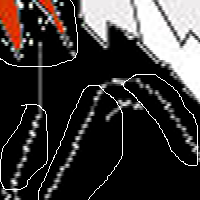
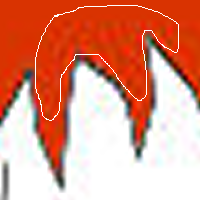
Okay,I outlined my picture with the pen tool,and it looks perfect.But,when I try to color it in,it looks horrible!Lookie!:

Image

and then,I fix it,(for almost 7 hours...) it looks like this:

Image

_________________
Image


Top
 
   
 Post subject:
PostPosted: Sat Sep 02, 2006 7:18 pm 
Way Beyond Godly
Way Beyond Godly
Offline

Posts: 8715
Joined: Sat Jun 05, 2004 9:10 pm
Website: http://abelha-rainha.deviantart.com
Location: Cleveland, Georgia
When you fixed it, did you save it in .JPG? That was what your problem was.
What version of PSP are you using?

_________________
Image


Top
 
   
 Post subject:
PostPosted: Sat Sep 02, 2006 8:30 pm 
Newbie
Newbie
Offline

Posts: 44
Joined: Mon Aug 28, 2006 6:34 am
Location: Chiropractor's Office
Really?What should I save it as? .GIF?

I'm using Corel Paintshop Pro X.

_________________
Image


Top
 
   
 Post subject:
PostPosted: Sat Sep 02, 2006 10:37 pm 
Honorary Member
Honorary Member
Offline

Posts: 401
Joined: Mon May 31, 2004 6:29 am
What are you coloring with?

_________________
Image


Top
 
   
 Post subject:
PostPosted: Sat Sep 02, 2006 10:55 pm 
Beyond Godly
Beyond Godly
Offline

Posts: 4874
Joined: Thu Jul 22, 2004 3:20 pm
Location: Vancouver!
If you save it in JPEG, expect JPEG noise around the edges. You should save it in a PNG, or alternatively, you can go to [File -> Export -> JPEG] and set the JPEG compression to "1".


Top
 
   
 Post subject:
PostPosted: Sat Sep 02, 2006 11:36 pm 
Newbie
Newbie
Offline

Posts: 44
Joined: Mon Aug 28, 2006 6:34 am
Location: Chiropractor's Office
Okay,I have just a few more questions. >_>
1.) Would this affect my computer in any way?
2.) Could I make it as a Bitmap (sp?) without having to do it all over again?

_________________
Image


Top
 
   
 Post subject:
PostPosted: Thu Sep 14, 2006 5:44 pm 
PPT Baby
PPT Baby
Offline

Posts: 61
Joined: Wed Mar 29, 2006 2:28 pm
Yahoo Messenger: a_gryphons_rage
Location: East Coast, USA
It seems to me that when you first tried to color it in, you weren't using a different layer. That's what caused that white outline. What you do is:

1. Keep the outline as a vector layer.
2. create a new raster layer beneath the vector outline
3. color the picture on that second raster layer.
4. don't be afraid to use multiple layers for different colors/shadows/etc.
5. when you are finished, merge the layers, and save the pic AS A DIFFERENT FILE. Don't save over the current file just in case you decide to change anything later on.

I think that should take care of your problems, and you should be able to save as a JPG with decent results.

_________________
Image
Neopets: _leraje_


Top
 
   
Display posts from previous:  Sort by  
Post new topic  This topic is locked, you cannot edit posts or make further replies.  [ 7 posts ] 

All times are UTC


You cannot post new topics in this forum
You cannot reply to topics in this forum
You cannot edit your posts in this forum
You cannot delete your posts in this forum

Search for:
Jump to:  
Powered by phpBB® Forum Software © phpBB Limited